Members can like and mention any other member's content.
Likes
- Users can like an event, topic, post, and comment.
- Users can cancel the like if they want by clicking the like button again.
- The author of the event, topic, post, or comment will receive a notification in the notification center when his/her event, topic, post, comment, or comment reply is 'liked' by others.
- The notification of 'like' will only appear in the notification center, not via email notification.
- Users will not be notified of 'cancel like' actions.
- Users can see who liked an event, topic, post, or comment by clicking the number of likes.
Mentions
All logged-in users can mention other reader and author members. This functionality is implemented for:
Posts that are shown in groups, on profiles, or in the rest of the community.
Comments on posts, topics, events, reviews, and books.
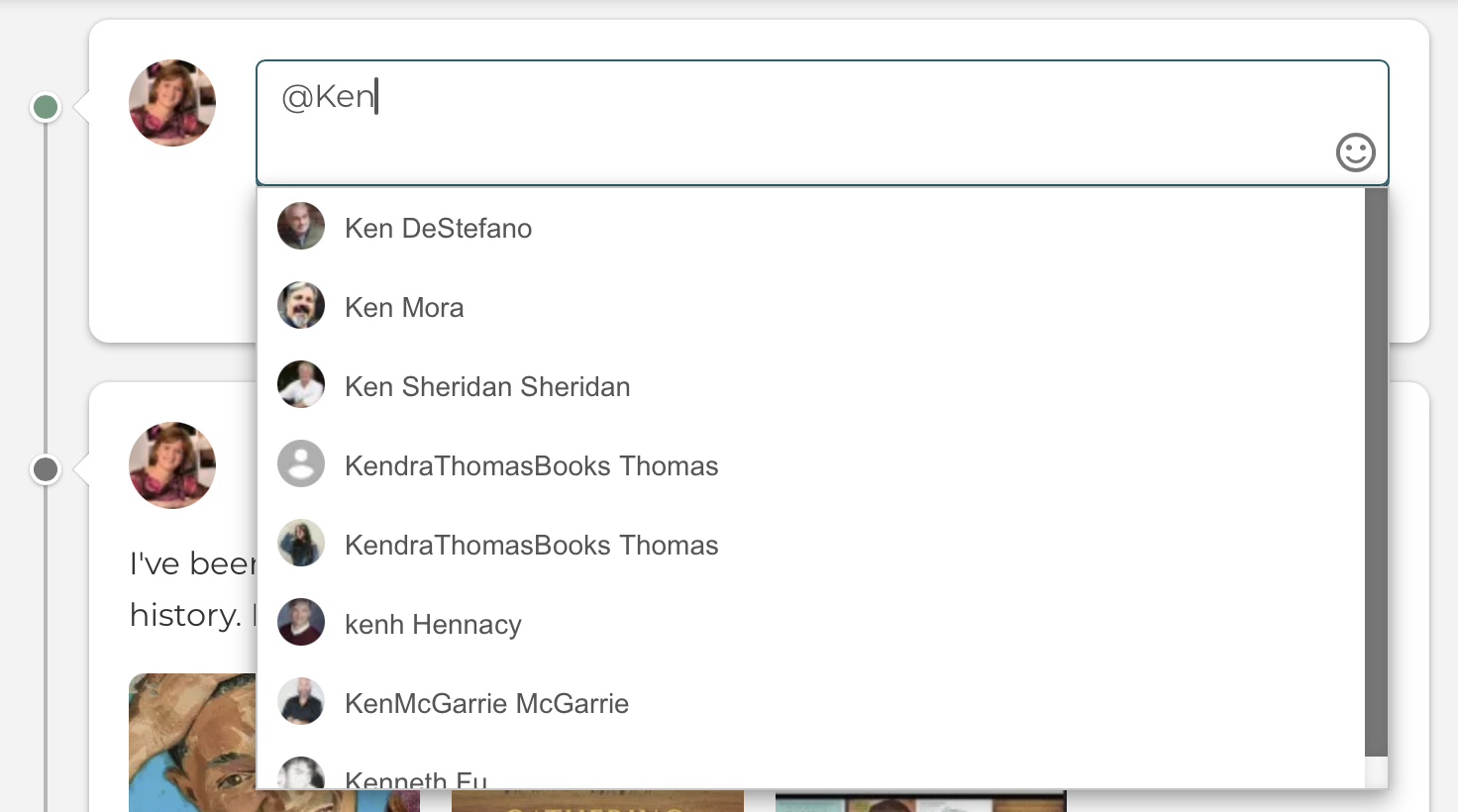
Start typing the @ symbol, followed by the name or username of the person you want to mention.
A list of (a maximum of 100) results will appear.
It’s also possible to narrow down your search by providing a combination of the first and last name of the user you are searching for.
The user who has been mentioned will receive an e-mail and a personal notification. When being mentioned in a comment, you will also receive notifications of replies to that comment.
Mentions are also used to reply to a reply.
Manage e-mail notification settings in your account settings!