

I Turn Pages features a full range of author events designed around the way readers and authors actually connect.
Author Giveaway Ideas
- Advance Reader Copies — Share your book before it publishes with readers who will review it, talk about it, and help build pre-launch momentum.
- Beta Reader Open Call — Find dedicated readers to give feedback on your manuscript before it goes to your editor or to market.
- Book Cover Reveal — Give your community the first look at your new cover and generate social buzz before your launch campaign begins.
- Book Launch Giveaway — Drive excitement and early reviews on release day by gifting copies to engaged readers.
- Author Q&A — Let readers get to know the person behind the page. Answer questions about your writing process, your characters, and your inspirations.
- Author Giveaway — Reward your readers and attract new ones with signed copies, exclusive content, or themed prizes.
- Reader Magnet Giveaway — Offer a free short story, novella, or bonus content to grow your reader list with fans who are genuinely interested in your work.
- Sample Chapter Giveaway — Let readers try before they buy — a powerful tool for debut authors and new series launches.
- Book Signing — Promote a virtual or in-person signing event to your ITP community and bring readers directly to you.
- Reading Group Session — Partner with a book club or host your own reading group discussion around one of your titles.
- Cross-Promotion Giveaway — Team up with authors in your genre to reach each other's readerships and grow together.
- Short Story Giveaway — Share standalone fiction with your community, introduce readers to your writing style, and keep your profile active between book releases.
It's quick and easy to create an event. Once you have ordered your event package, follow these steps.
Creating a Book Giveaway Event
You can create an event by using the ‘+’ button in the header menu or the button on the event overview page of your profile. When creating an event, you can choose to either add it to a group or not.
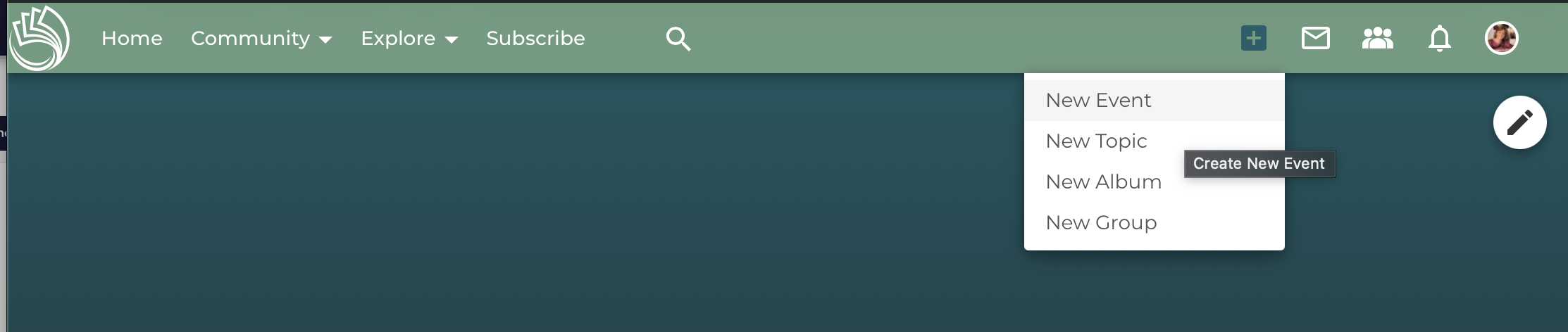
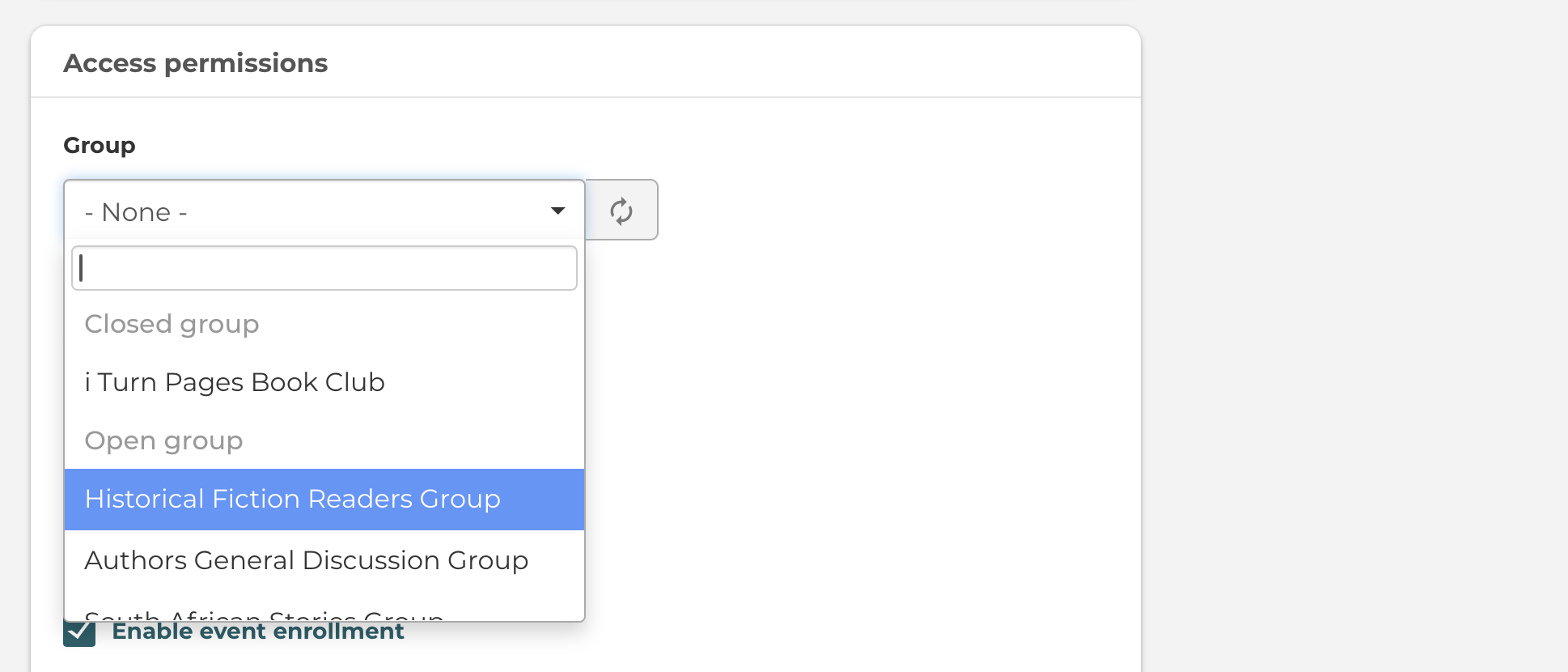
Adding Your Book Giveaway Event to a Group
You can also create an event in a group directly from the group itself, but please note that only the members of your group will see the event. If you want all users and I Turn Pages visitors to see your event, don't post it into a group. Or post it into a public group.
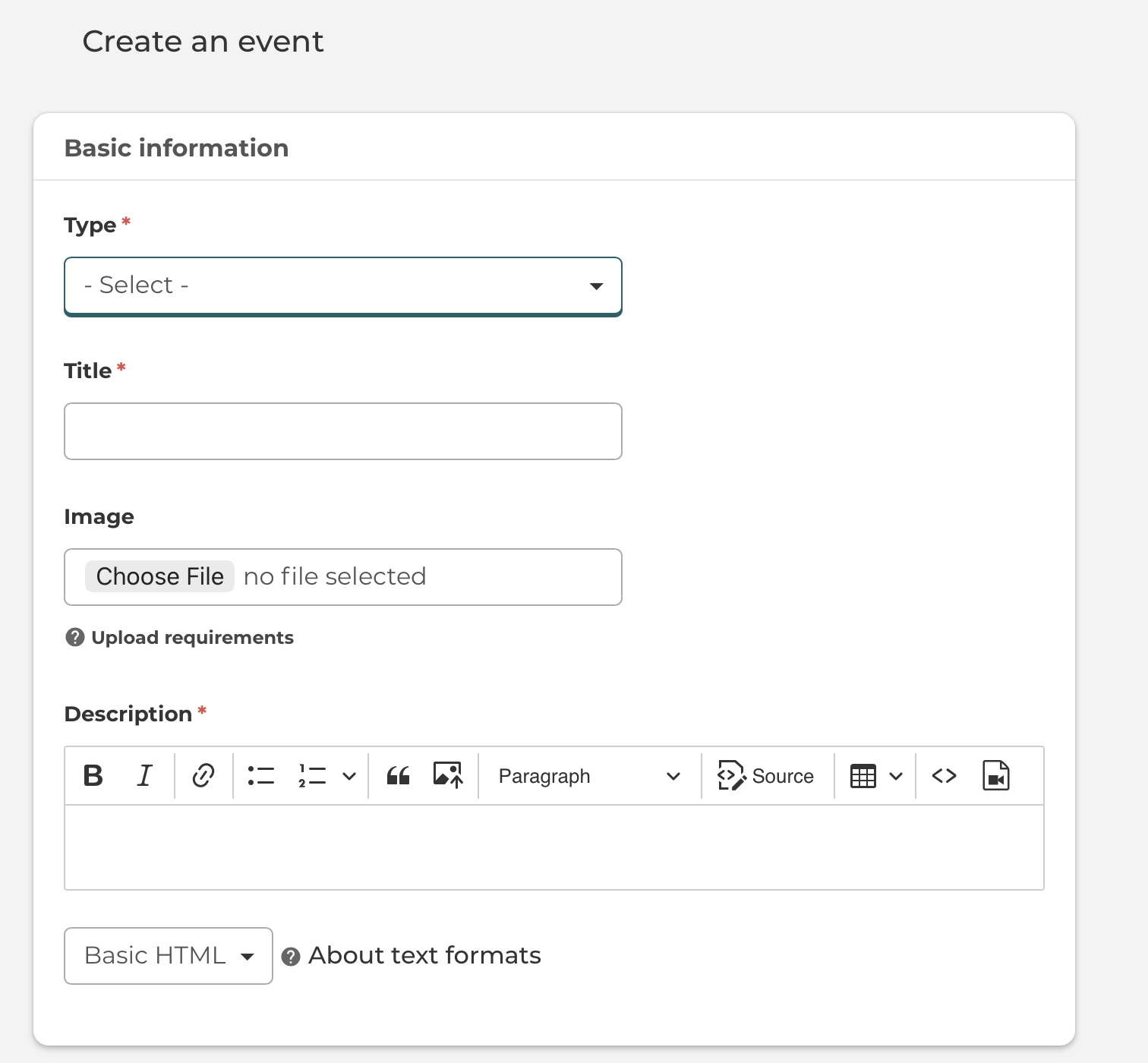
Give your event a title, select an image, and select an event type.
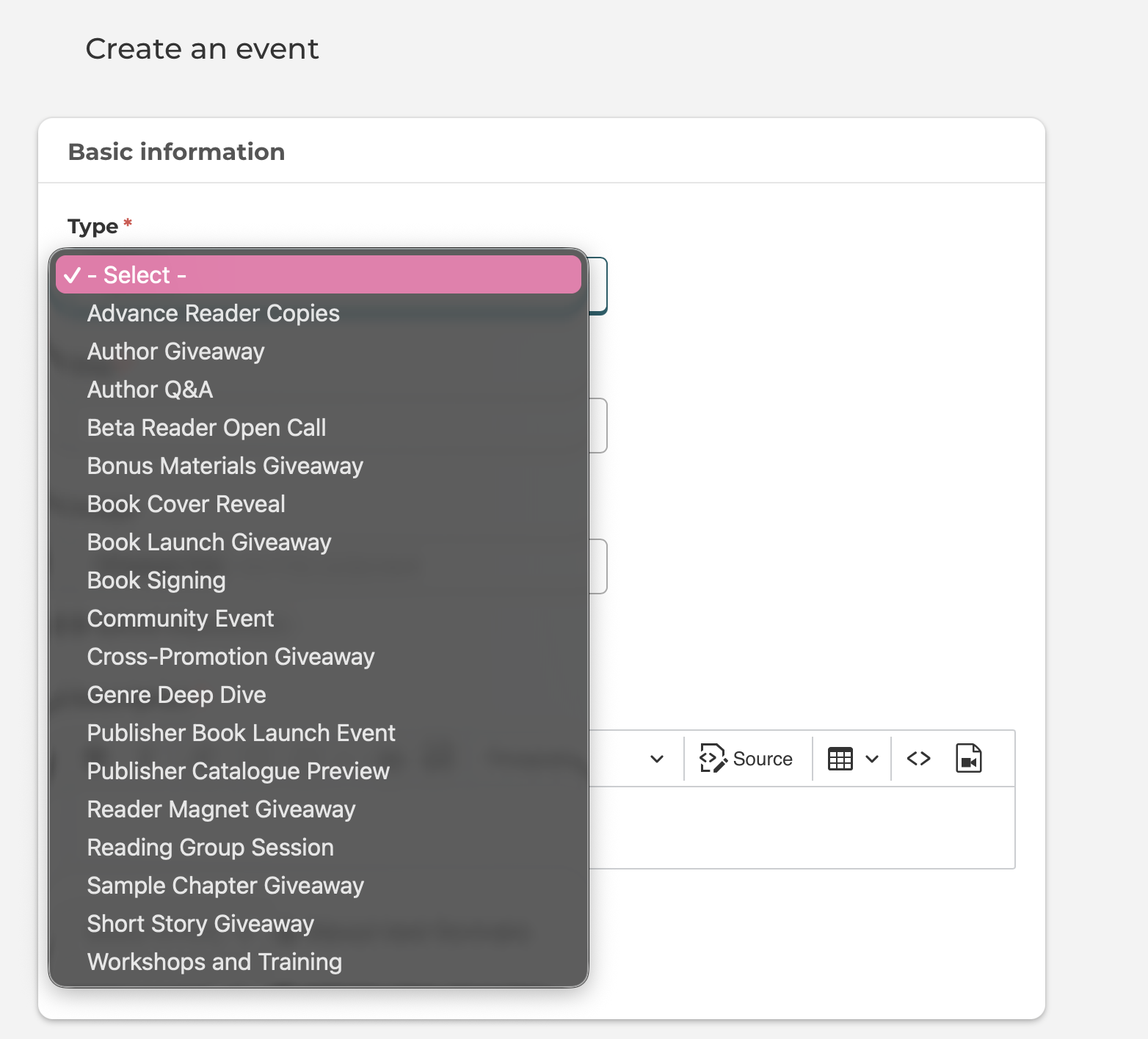
Here is a screenshot of how to select one of the event types for your book giveaway event.
Check out these ideas for your book giveaway events.
Build Your Reader Community with Book Giveaways Events
Further down, you can add in the Location, Date & Time of the Event, as well as add any relevant content tags.
Event Visibility & Enrollment
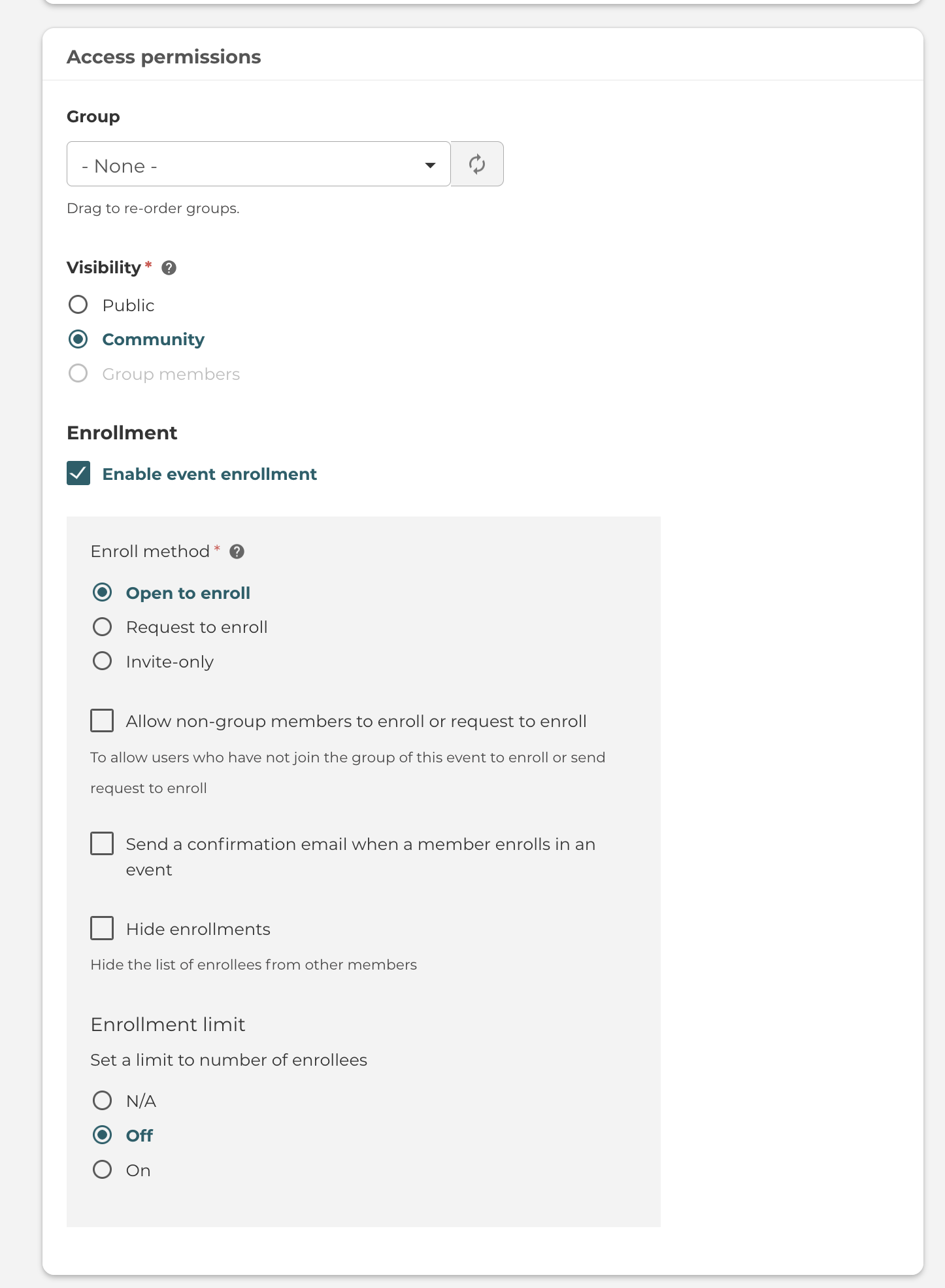
For events, you can also set the visibility. This can be affected by whether you place the event inside a group.
If so, you can then decide to make the topic visible only to members of that Group.
If you make the event public, you will also have the option to allow guests to enroll (aka users without an account). If so, they will be prompted to enter their name and email, which the event organiser will be able to access (in case you need to contact them).
There are many more Event Enrollment settings which you can control as an event membership author.
Once you've created the event, you will have access to the Manage Enrollments tab.
This will give you the options for adding/inviting users, as well as performing bulk actions (such as emailing the users or exporting them to csv).
Please log in or join to comment.